

Guide To Moving House With Kids
A Parent's Survival Guide: How to Make Moving House with Kids a Positive Adventure Moving h... Read More
In the chaos of moving house, some items cause more anxiety than others. Right near the top of that list is the computer. Whether it’s your lifeline for work, your high-powered gaming rig, or the family’s digital hub, it’s a delicate and expensive piece of equipment. The thought of a cracked monitor or a damaged internal component is enough to make anyone nervous.
But don't stress! Packing your computer, monitor, and all its accessories securely is entirely manageable. With the right preparation and packing technique, you can ensure your digital world arrives at your new home safe and sound. If you’d rather not risk it, professional removalists have the skills and equipment to transport sensitive tech safely. This guide will walk you through every step, from critical data backups to the safest way to transport your tech.
Before you even think about boxes and tape, there is one non-negotiable first step: Back up your data.
Hardware can be replaced, but your personal files, photos, and important documents cannot. Even with the most careful packing, accidents can happen. Use an external hard drive, a cloud service like Google Drive or Dropbox, or both. Do a full system backup to be extra safe. Once it's done, you can pack with peace of mind.
Having the right gear makes all the difference. Get everything organised before you start.
Follow these steps methodically for a secure pack.
Properly shut down your computer. Don't just put it to sleep. Once it's completely off, switch off the power at the wall socket and unplug everything from the back of the tower—power cord, monitor, keyboard, mouse, speakers, ethernet cable, everything.
Pro Tip: Take a quick photo of the back of your PC while everything is still plugged in. This will be a massive help when you're trying to remember where all those cables go during setup at your new place.
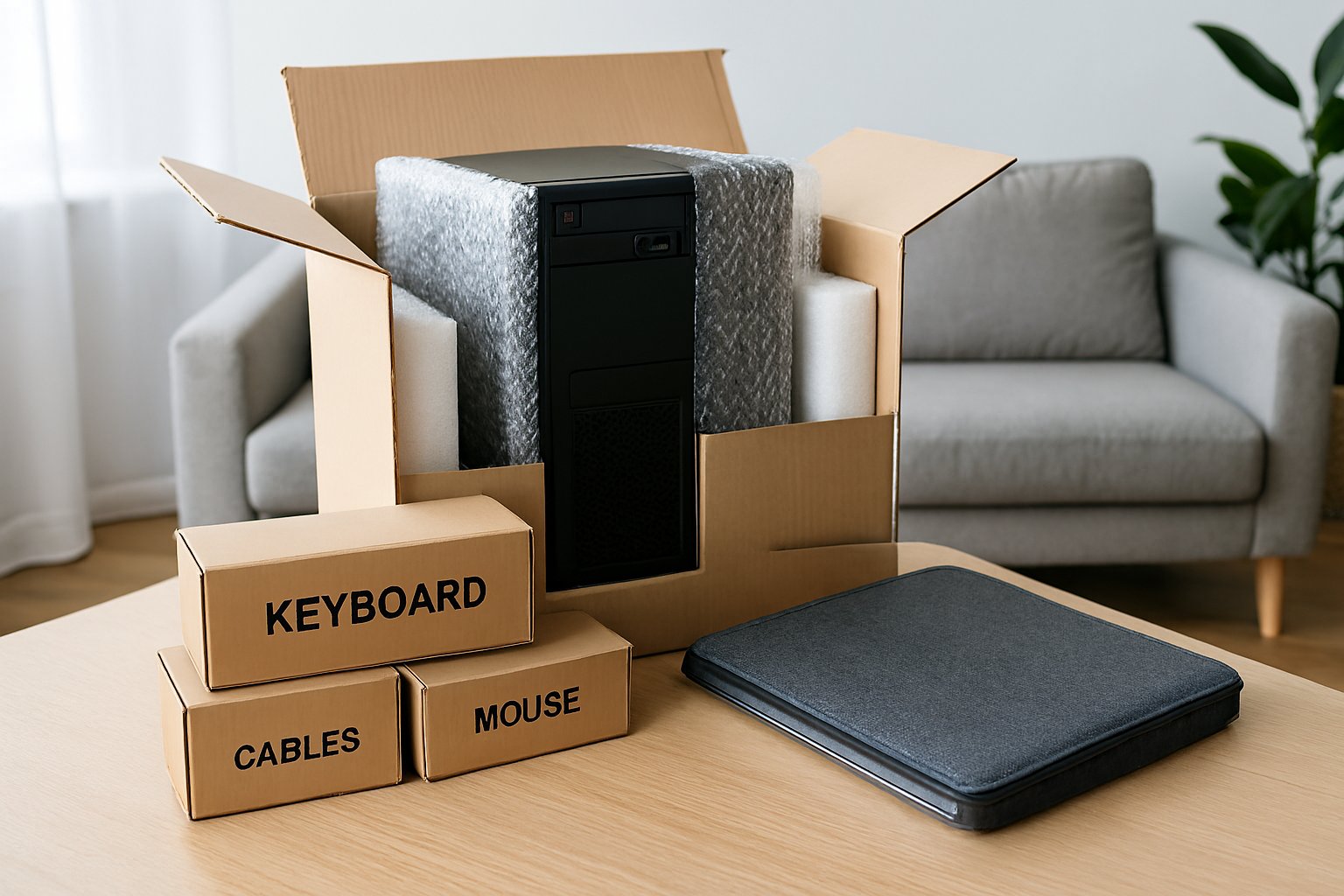
Coil all your cables neatly and place them in a labelled resealable bag. Do the same for your mouse, webcam, and any other small accessories. You can wrap your keyboard in a layer of bubble wrap or a small towel and pack it in a box with these items. Label the box clearly: "COMPUTER CABLES & ACCESSORIES."
This is the most delicate part of the operation.
For Standard PCs: If you have a regular home or office PC, you can likely skip opening the case.
For Gaming PCs or Custom Builds (Important!): Heavy components like high-end graphics cards (GPUs) and large CPU air coolers can put immense stress on the motherboard when jostled. It is highly recommended to open the case and remove them.
Seal the box securely with tape and label it on all sides: "FRAGILE - COMPUTER TOWER" and draw arrows for "THIS WAY UP."
The screen is extremely vulnerable.
This is a critical decision. The safest place for your computer is in your car.
Moving trucks can be bumpy, and temperatures can fluctuate wildly. In your car, you can control the climate and ensure the computer is handled gently.
When placing the PC tower in the car, position it on the floor or a seat and secure it so it can't slide. The best orientation is to lay it motherboard side down. This means the side you removed to access the components should be facing the floor. This orientation provides the most support for the internal parts. The monitor should always be transported in an upright position, wedged securely between seats or other soft items.
For large, heavy graphics cards found in most gaming PCs, yes, it is highly recommended. The slot it connects to (the PCIe slot) is not designed to handle the bouncing and vibrations of a move, and the card can snap the slot or damage the motherboard. For smaller, lighter cards, it's less of a risk but still a good precaution.
Yes, in fact, it's the safest way to transport it. Laying it on its side with the motherboard at the bottom prevents heavy components from flexing and putting stress on their connections.
While you can ask them to, it's much riskier than moving it yourself in your car. If you must use a moving company, ensure the box is exceptionally well-padded and very clearly labelled as fragile. Check their policy on electronics, as they may not be covered by insurance for internal damage.
If you can't find it, your next best option is to wrap the tower in a soft, natural-fibre blanket (like cotton) first, and then use regular bubble wrap over the top of the blanket. The blanket acts as a buffer.
A Parent's Survival Guide: How to Make Moving House with Kids a Positive Adventure Moving h... Read More

Proper packing and moving are very essential in many cases such as if you got a transfer or you nee... Read More

A Guide to Commercial Relocation in Perth Commercial relocation comes with a lot of responsibilities... Read More